Branded Invoice, Estimate & Quote Template Kit
Add your logo, business details, and colors to matching invoice, estimate, and quote/bid templates. Save a clean master, then make a fresh copy for every customer or job.
Your download includes an Excel workbook you can also use in Google Sheets, three fillable PDFs, and a five-page walkthrough.
By ProInvoice
$17.00 USD · One-time digital download
Preview the three templates
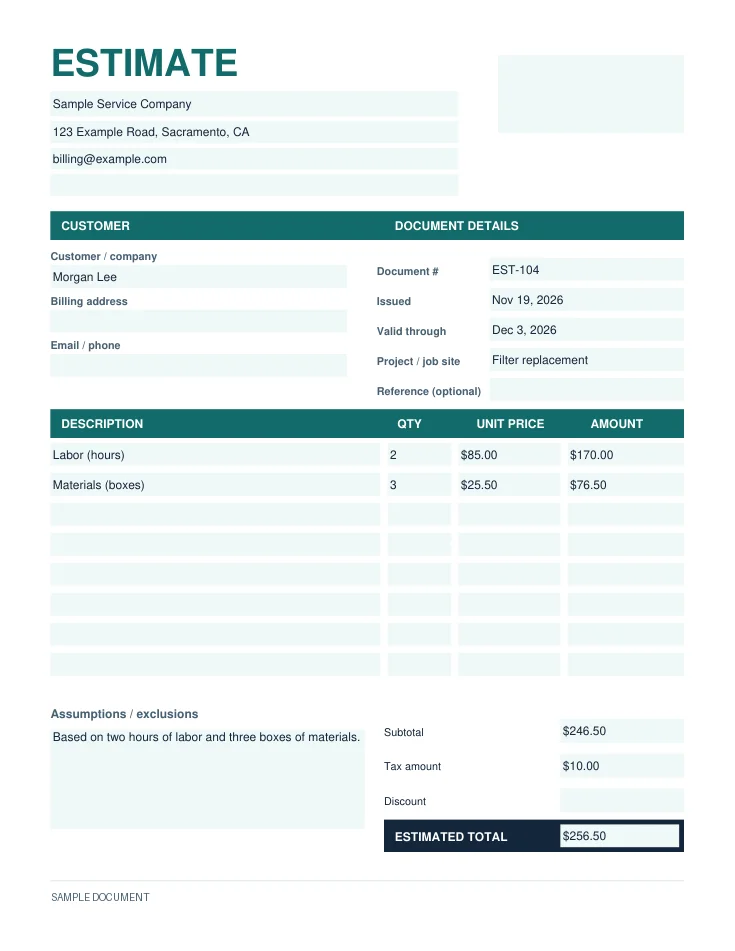
Estimate
Give the customer an expected price. Add your scope, assumptions, exclusions, and valid-through date.
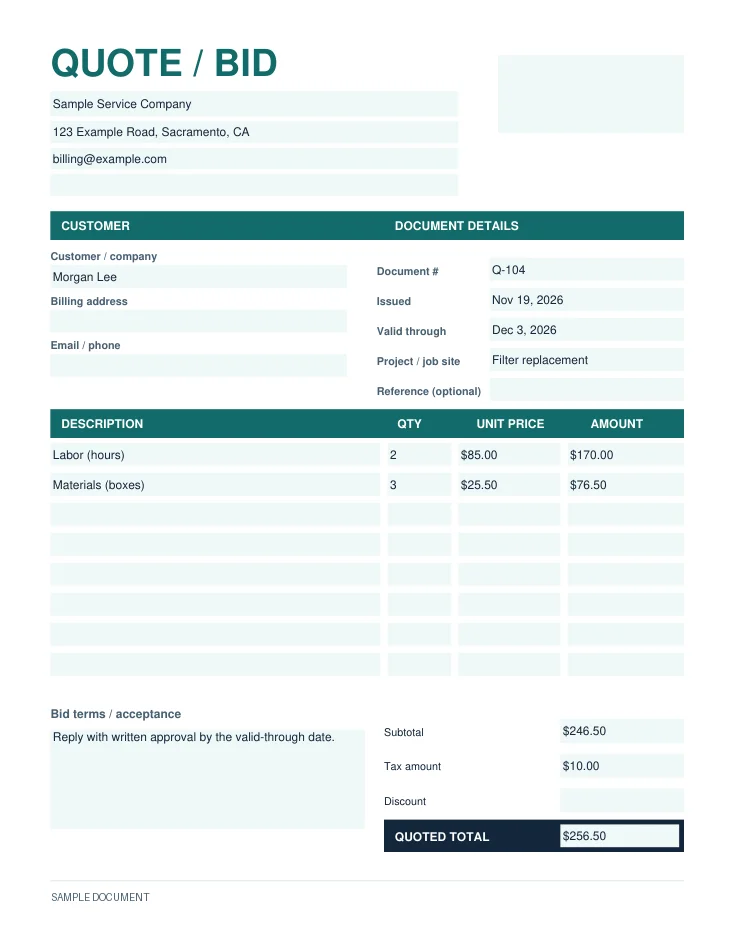
Quote / bid
Submit a price for a defined scope. Include an expiration date and how the customer can accept.
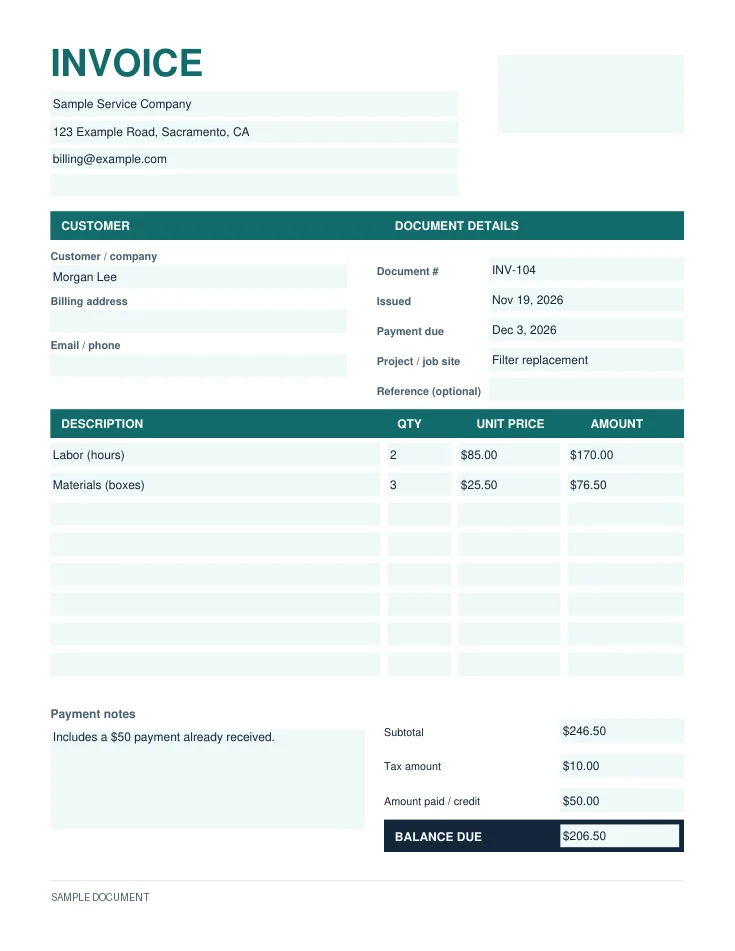
Invoice
Request payment. Include the due date, any payments or credits already applied, and the remaining balance.
Choose Excel, Google Sheets, or fillable PDF
- Excel
- Open the workbook. Enter your business details once on the Business Setup tab. Line amounts and totals calculate from the quantities, rates, tax amount, and payment, credit, or discount you enter.
- Google Sheets
- Upload the workbook to Drive, open it in Sheets, and use File → Save as Google Sheets. Uses the same formulas as Excel.
- Fillable PDF
- Open a form in a PDF reader and type directly into the fields. Enter amounts and totals by hand. Use a PDF editor to add a logo or change the title color in the standalone form.
Each document starts with eight line items. Add rows in Excel or Google Sheets for longer jobs. To make a branded PDF without a PDF editor, set up your branding in Excel or Sheets, then export the finished document.
Set up your branded master
- Save a working copy named My Business - Billing Master.
- Enter your business details in the Business Setup tab or the fields under the PDF title.
- Add your logo to the upper-right area. In Excel or Sheets, set the section-header and total-label colors.
- Save descriptions you reuse, such as labor, materials, or disposal. Leave customer details and job prices blank.
- Copy the master for each job. Fill in the scope and totals, then preview the saved PDF before sending it.
See how one job moves from estimate to invoice
For this hypothetical job, two hours of labor and three boxes of materials come to $246.50. With an illustrative $10.00 in tax, the estimate is $256.50. The quote can carry the confirmed scope, price, and acceptance instructions.
| Line item | Qty | Unit price | Amount |
|---|---|---|---|
| Labor (hours) | 2 | $85.00 | $170.00 |
| Materials (boxes) | 3 | $25.50 | $76.50 |
If the customer already paid $50.00 and the charges are unchanged, record it as Amount paid / credit. The invoice balance is $246.50 + $10.00 − $50.00 = $206.50.
See how to turn an approved estimate into an invoice after a deposit.
Get the Branded Invoice Template Kit
Pay $17.00 USD once, then download the ZIP from your private checkout confirmation.