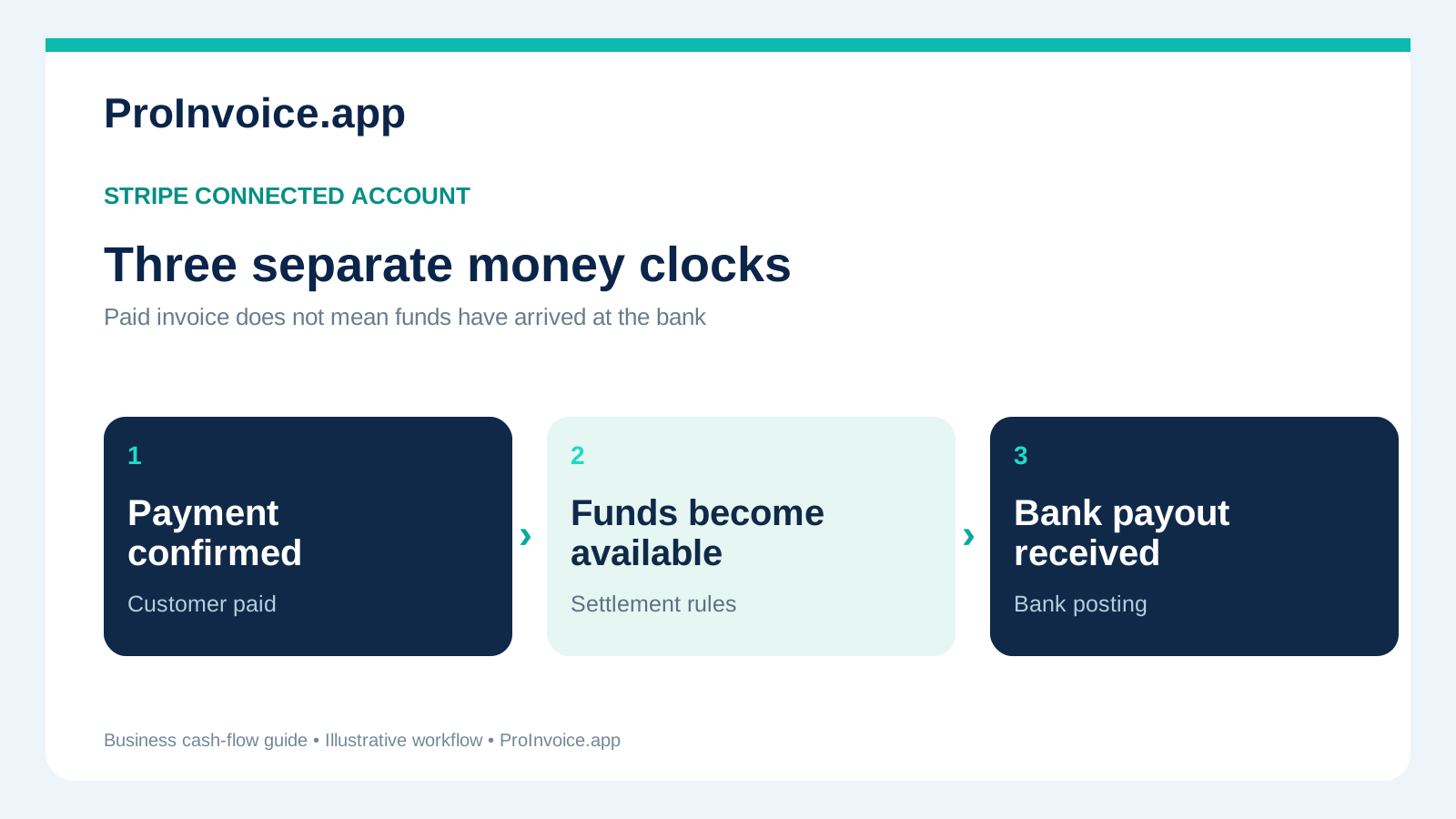
A customer paid your $1,250 service invoice online, but your business checking account still shows no deposit. You can see a successful payment, so where is the money? For a contractor using a platform that connects to Stripe, the answer often depends on three different clocks: when the payment is confirmed, when the proceeds become available for payout, and when the bank actually receives the payout.
Short answer: Stripe says a new account's first live payout is typically scheduled to complete within 7–14 days after its first successful live payment, depending on the business, country, and risk factors. Later payouts follow the connected account's settlement timing and payout schedule; the bank can add processing time. Those are not fixed promises for every contractor. See Stripe's current payout documentation and check the estimated arrival date on the correct connected account.
This guide is for US contractors and service businesses that use a Stripe-connected invoicing platform. It explains where timing differences come from, what to check before buying materials, why payment totals do not always match bank deposits, and what to do when a payout does not arrive. It does not assume that a particular ProInvoice account has Instant Payouts or a particular schedule enabled.
The key distinction: paid invoice versus paid-out money
Contractors use the word "paid" for several different events. That can lead to mistaken promises to a supplier or a subcontractor. Use the exact stage instead:
| Stage | What happened | What it does not prove |
|---|---|---|
| Customer payment succeeded | The payment processor recorded a successful customer transaction | That the business bank has received funds |
| Funds are pending | Proceeds exist but have not reached the account's available balance | That a payout can be initiated immediately |
| Funds available | The account has a balance eligible under its payout settings | That an automatic payout has already been sent |
| Payout pending | A payout was created but not yet sent to the external bank | That the bank received the transfer |
| Payout in transit | Stripe submitted the payout to the bank | That the deposit is visible in online banking |
| Payout paid | Stripe reports that the payout reached the external account | That your own banking app has refreshed its display |
| Payout failed | The payout was unsuccessful and needs investigation | That the customer's original payment necessarily failed |
Stripe defines the connected-account payout statuses pending, in_transit, paid, failed, and canceled in its Connect payout documentation. These are payout statuses, not a substitute for checking the original card or ACH payment status. When the accounts department asks whether the homeowner paid, answer from the payment record. When you ask whether your bank has been funded, answer from the payout and bank records.
How long does the first Stripe payout take?
Stripe's payout guidance currently says it typically schedules the initial payout to complete within 7–14 days after the first successful live payment. The precise timing varies with the business's country, industry and risk profile. A connected account's eligibility, verification needs, payment method, negative balance or other review can affect the actual result.
That guidance is not permission to tell every customer "the contractor gets paid in seven days." It's a published general range for first live payouts, not an individually guaranteed deposit date. The most reliable account-specific estimate is the one displayed in the connected account's payout details.
A calendar example, without pretending the dates are guaranteed
Imagine a new contractor accepts a first successful live payment on Thursday, November 5, 2026. The contractor cannot assume that a first payout will be in the bank Friday, November 6 just because the invoice is marked paid. If the account shows an estimated arrival of November 16, that is the working estimate—not a contractual promise. Verification, settlement, weekends and bank processing could move the date. Check the actual payout details rather than independently adding "two days" to the customer payment date.
For budgeting, keep a buffer for subcontractor wages, materials and scheduled purchases. Do not advertise immediate availability of a new online deposit until your own account actually supports the applicable feature.
Why later payouts can still take time
After the first payout, three settings or events usually matter.
1. Settlement timing: when proceeds become eligible
The payment processor must process and settle the customer's payment before proceeds are available under the account's rules. Card and bank-debit methods can have different timing. For platforms using Stripe Connect, the connected account's settlement timing can also depend on its country and which party is responsible for risk. Stripe explains these distinctions in Manage payout schedule.
Even when two customers pay on the same day, the payments may not become eligible at exactly the same time. ACH debits also require care: a customer starting an ACH payment is not the same as a confirmed settled payment. Check the payment status and the balance record before acting.
2. Payout schedule: when eligible funds are sent
A Stripe connected account may be configured for daily, weekly, monthly or manual payouts, depending on account type and platform controls. Daily does not mean funds leave the processor the same moment a customer pays; it describes the frequency for eligible balances to be sent. Weekly can intentionally collect available funds for a specified weekday. A manual schedule means automatic payouts are not initiated under that setting.
A platform may control parts of these settings, while account holders with Stripe Dashboard access may manage certain details themselves. Stripe's Connect account payout guide distinguishes these configurations. If a setting is absent or locked, do not assume a bug: ask the connected platform which controls are available for that account.
3. Bank arrival: when the deposit reaches checking
After Stripe sends a payout to the external bank, the bank still has to receive and post it. Stripe's Connect documentation describes a standard payout status progression and notes that paid typically follows submission by about 1–2 business days for standard payouts. Your bank's posting and display behavior can also vary. Check the specific expected arrival date rather than copying that typical range into a payment guarantee.
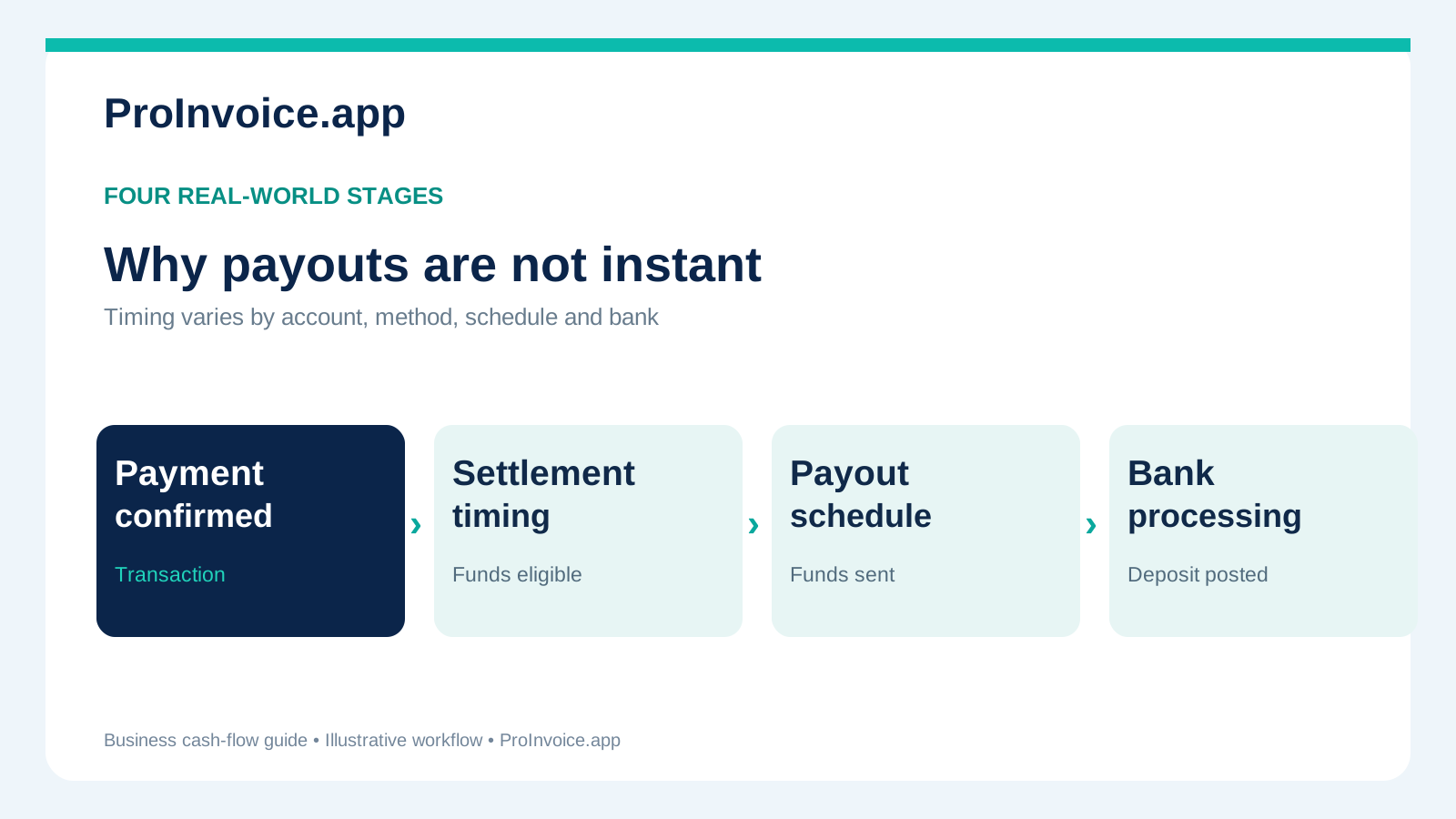 The three timing components are related but not interchangeable.
A worked example: $2,000 paid versus $1,940 deposited
Suppose a residential contractor has a $2,000 project approved in writing, billed as a $600 deposit and a $1,400 final invoice. Both payments succeed. For arithmetic illustration only, assume $18 of processing-related charges against the first payment and $42 against the second; those figures are not published Stripe fees or an estimate of what ProInvoice charges.
| Ledger item | Gross customer payment | Illustrative charges | Net proceeds |
|---|---|---|---|
| Deposit payment | $600 | $18 | $582 |
| Final payment | $1,400 | $42 | $1,358 |
| Total | $2,000 | $60 | $1,940 |
If both net proceeds become available together and no other activity affects the balance, a single hypothetical $1,940 payout could match both payments. But Stripe may put them in different payout batches, include other customer payments, or adjust for refunds, disputes, reserves, negative balances and other account activity. The payout is an aggregate movement of money; it is not necessarily a one-invoice deposit.
Reconciliation method: match the invoice IDs to their payment IDs, record the processor's actual fee breakdown and adjustments, then match the relevant payout IDs and deposits in the bank. Do not invent a fee from the difference alone. See how to reconcile invoice processing fees and payouts for a separate ledger method.
Do not count a deposit twice
When a customer pays $600 toward the $2,000 job, the final amount owed is $1,400 before any properly authorized changes. A processor deducting a hypothetical $18 fee from the contractor's payout does not increase the customer's contractual invoice balance by $18. Processing costs and customer receivables are different accounting questions.
ProInvoice's paid-deposit final invoice guide explains how to display the credit clearly. The contractor should never show the $600 as both a line-item deduction and a second deducted payment when that duplicates the credit.
What Stripe Connect changes—and what it does not
Stripe Connect lets platforms offer payments to businesses with connected Stripe accounts. Depending on the charge type and the account configuration, funds can accumulate in a connected-account balance or be handled through other platform-led charge and transfer arrangements. This matters when you try to locate a payment: viewing a platform-level account does not automatically show the same transaction and payout history as viewing a specific contractor's connected account.
Stripe's developer documentation says that connected account holders with a full Stripe Dashboard or Express Dashboard can manage their external payout accounts, subject to the available configuration. Accounts with different dashboard access or platform controls work differently. Never tell a customer to change an account setting that they cannot see. Instead, identify the connected account and ask the platform's support team which settings and payout reports are available.
For ProInvoice users, the website currently describes estimates, customer deposits, invoices and online payment requests, with a connected Stripe account required for eligible online payments. See the current pricing and product information. This guide is an explanation of Stripe's public payout lifecycle, not a statement that ProInvoice guarantees a particular payout period, exposes every Stripe Dashboard setting, or supports Instant Payouts.
How to trace a missing contractor payout
First identify whether the customer payment is missing or the bank payout is missing. That determines which records to examine.
- Confirm the customer payment. Locate the right invoice and payment confirmation; verify the amount, currency, date, and whether a card or ACH transaction actually succeeded. Do not use the customer's emailed receipt as the only proof if the processor record is unresolved.
- Check the correct connected account. If your invoicing software connects through Stripe, confirm that the payment belongs to your business account rather than a test account or another connected business. Avoid sharing full bank or card numbers in support screenshots.
- Look at balance availability. Separate funds that are still pending from funds available for payout. A successful customer payment can precede funds becoming available.
- Open the payout record. Locate the payout status, expected arrival date, payout ID and destination account's last four digits if shown. Compare to the amount you expect rather than assuming one payout equals one invoice.
- Check the schedule and verification messages. Look for a first-payout delay, weekly/manual schedule, verification request, payout hold, negative balance, reserve or failed external bank account. Each requires a different response.
- Reconcile your bank statement. Search by date, processor descriptor and actual net payout amount; the amount can combine multiple invoices. Allow for the bank's processing window before treating a not-yet-due payout as lost.
- Escalate with specific non-sensitive facts. Give Stripe or the connected platform the payout ID, amount, expected arrival date, status and the last four digits of the destination account. Never post secret keys, full bank account numbers, login codes or customers' card details in public forums.
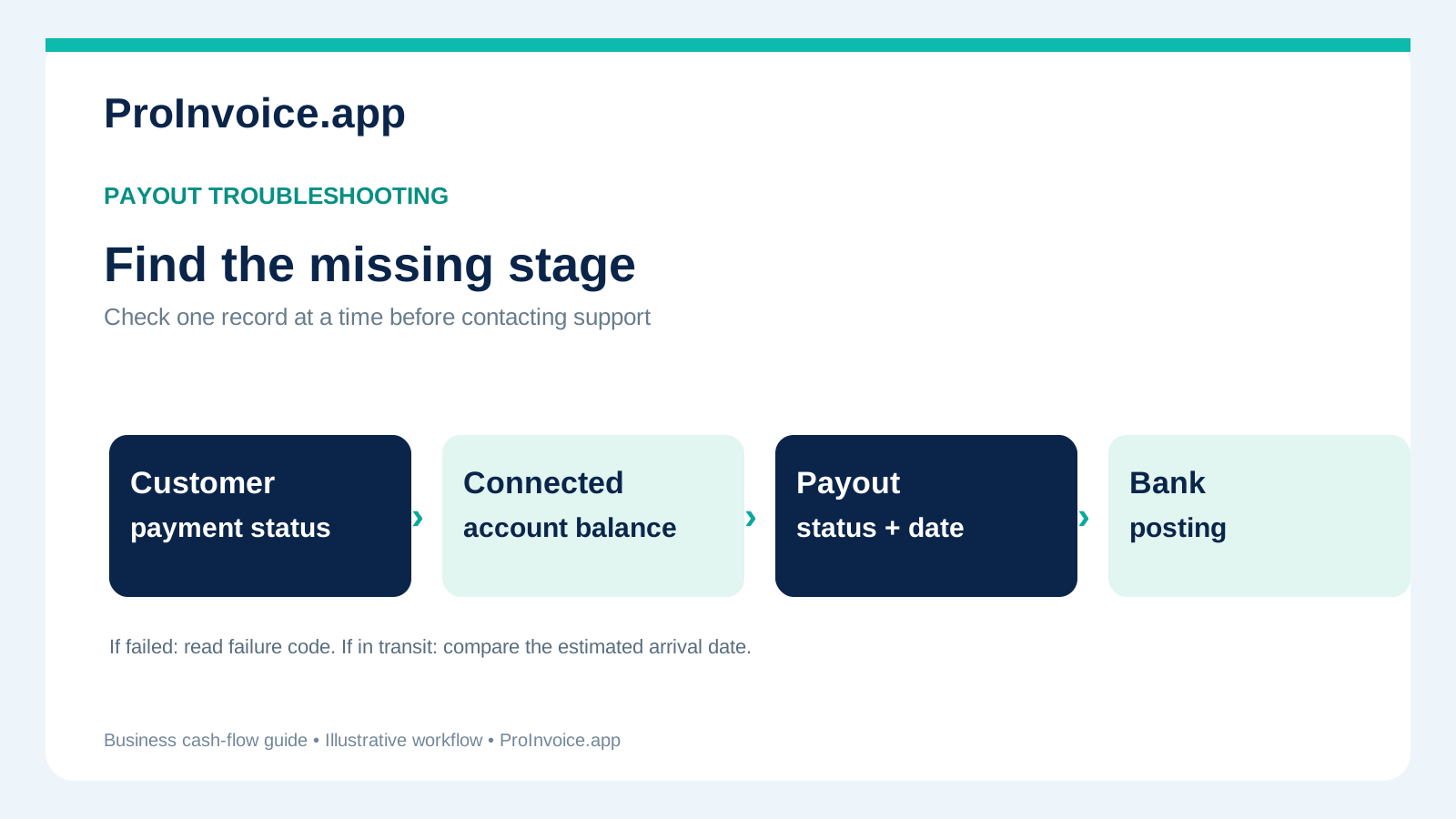 Start at the correct stage. A payout marked pending needs a different investigation from one marked failed.
What if the payout status says "failed"?
Stripe's connected-account payout documentation says the Payout object's failed status includes a failure code and that the external payout account involved may be disabled until corrected. Do not keep retrying blindly. Review the failure reason and use the platform or Stripe's verified account-management flow to update bank information where appropriate. Then confirm whether a replacement payout was created.
What if the payout is "in transit" but the bank shows nothing?
Compare the displayed estimated arrival date with the current business day. If the date has passed, collect the payout ID, actual transfer amount, destination-account identification permitted in your interface and any bank trace reference supplied by the processor. Contact the platform/Stripe support as appropriate, and the bank if needed. Do not give customers contradictory explanations such as "Stripe never got your money" when the record shows that the customer payment succeeded.
What if a weekly payout looks like it skipped a payment?
Check when that transaction entered the available balance. A payment that clears after the account's weekly payout cut-off may be in the next payout. There is no universal cut-off time for every Stripe account; inspect the account-specific schedule and expected dates. If the platform controls the schedule, ask its support team to confirm the actual setting.
Can contractors receive an Instant Payout?
Stripe offers Instant Payouts for Connect to eligible connected accounts through supported platform configurations, countries and external bank accounts or debit cards. Stripe says these transfers typically arrive within 30 minutes, and the service can be available on weekends and holidays. However, eligibility, funding source, account standing, supported bank and platform enablement all matter. Some fees may apply. An Instant Payout is not the default for every account and a card payment succeeding does not mean a particular ProInvoice user has an Instant Payout button.
Bank-debit funds may not be eligible for Instant Payouts until the payment settles. If faster access is business-critical, check availability and total fees before accepting the customer's preferred method; do not change a customer's payment method after authorization or promise a same-day payout you cannot confirm.
Planning contractor cash flow around payout timing
The real risk is not an abstract delay: it's buying materials with money that has not reached your account. Use two parallel ledgers. The customer ledger tracks the estimate, deposit, approved changes and remaining invoice balance. The cash ledger tracks processor balances, payouts initiated, bank deposits posted, refunds, and available funds for payroll or purchasing.
For a hypothetical $8,000 renovation, a lawful deposit and an approved milestone payment may protect the contractor's receivable, but they do not guarantee that supplier bills can be paid the moment an online payment succeeds. Build an appropriate working-capital buffer, confirm vendor terms, and schedule material purchases around available cash, not only invoice status. This is particularly important for new accounts facing the first-payout window.
Before accepting a job with a tight deadline, ask: What work and materials must be funded before the next verified milestone? What are the supplier's actual payment terms? Which customer payments are confirmed? When is the connected-account payout expected? What will happen if the transfer arrives later than estimated? A realistic plan beats a surprise overdraft or an unsupported promise to the customer.
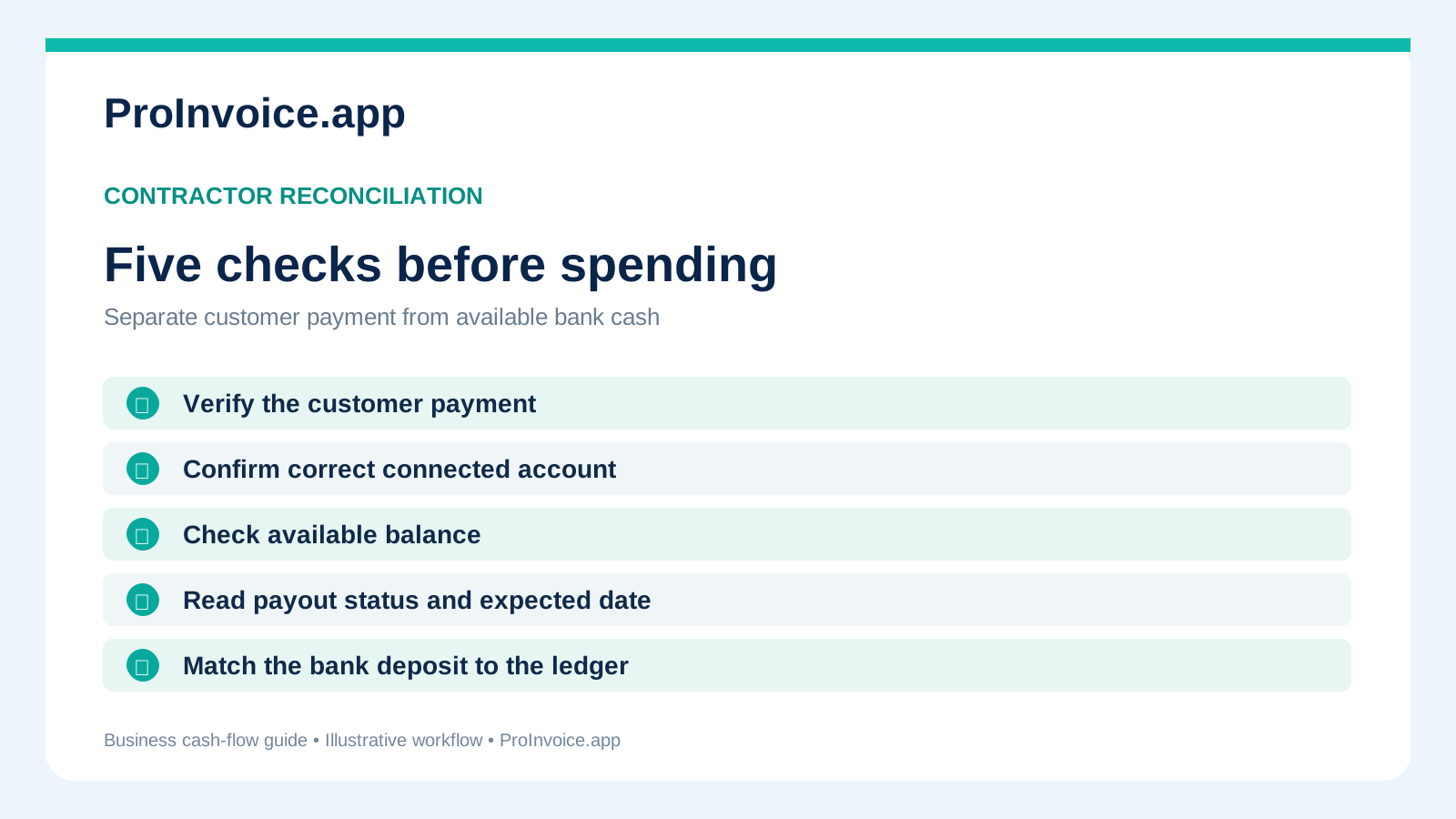 Five checks before treating an online invoice as spendable business cash.
Frequently asked questions
Do Stripe-connected accounts always receive their first payout after exactly seven days?
No. Stripe currently publishes a typical 7–14 day initial payout window, with variation by country, business and risk profile. Refer to the actual payout estimate for the connected account and confirm any outstanding verification or restriction. An exact seven-day guarantee would be misleading.
Is a daily payout schedule the same as same-day settlement?
No. Daily describes how frequently eligible available funds are sent, not when every customer's payment first becomes available or when the bank displays the transfer. Settlement timing and bank processing are separate.
Will card deposits arrive faster than ACH payments?
The payment methods have different settlement and return characteristics, but the result depends on the account and processor configuration. Stripe says bank-debit funds are available for Instant Payouts only after settlement. Never promise a blanket speed difference for every transaction.
Can I choose to get paid instantly in ProInvoice?
Do not assume the feature is available. ProInvoice's public pricing page confirms online payment requests with a connected Stripe account, but does not establish an Instant Payout entitlement. Check the connected account's available payout options or ask support before making commitments.
Why does my bank deposit not match the paid invoice?
A payout may combine multiple charges and reflect actual processing fees, refunds, reserves, disputes or other balance adjustments. Match the payment IDs, balance transactions and payout ID rather than guessing from the gross invoice amount.
Who should I contact if my Stripe Express payout is delayed?
Start with the connected platform's support and any Stripe support channel available for your account type. Supply the specific payout ID, status and expected date, but never your secret API key or full bank details. Stripe's Connect documentation directs connected businesses to their platform for payout-setting and status assistance.
The practical takeaway
Keep three milestones separate: customer payment confirmed, funds available for payout, and payout received in your bank. Ask the connected account for its actual expected date, reconcile the gross invoice against net payout activity, and plan job purchases using money that is really available.
If you need clearer estimates, deposits and final billing, explore ProInvoice's estimate and invoice workflow and current plan details. For the bigger explanation of how any invoice payment travels to a business bank account, see our bank deposit guide. ProInvoice simplifies customer billing; Stripe's actual account status remains the source for payout timing.