How to Send Invoices Without a Monthly Subscription
By ProInvoice ·
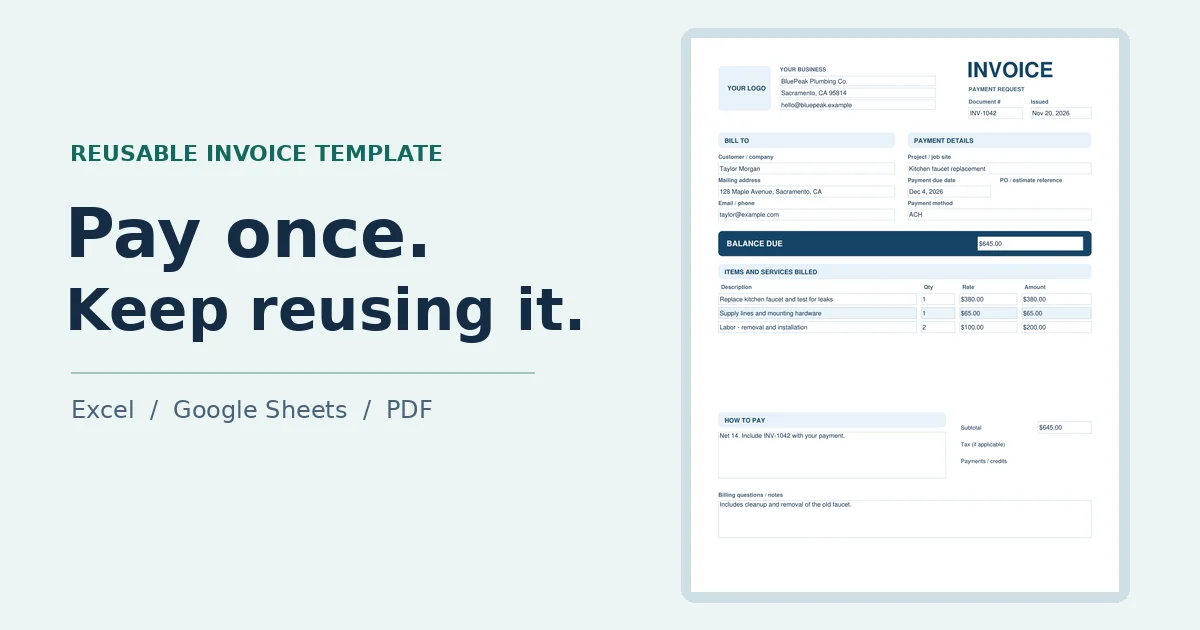
You can send professional invoices without paying a monthly fee. If you only need a branded PDF and already have a way to accept payment, save one editable invoice template and make a fresh copy for each job.
What do monthly invoicing charges add up to?
Multiply the monthly fee by the number of months you expect to keep using the software. Then check whether taking a card or bank payment adds a separate fee. An invoice template is a document. If you use a payment processor, its fees still depend on how you take payment.
| Option | Calculation | First year |
|---|---|---|
| ProInvoice template kit | $8 once | $8 |
| Example $15 monthly plan | $15 × 12 | $180 |
| Example $25 monthly plan | $25 × 12 | $300 |
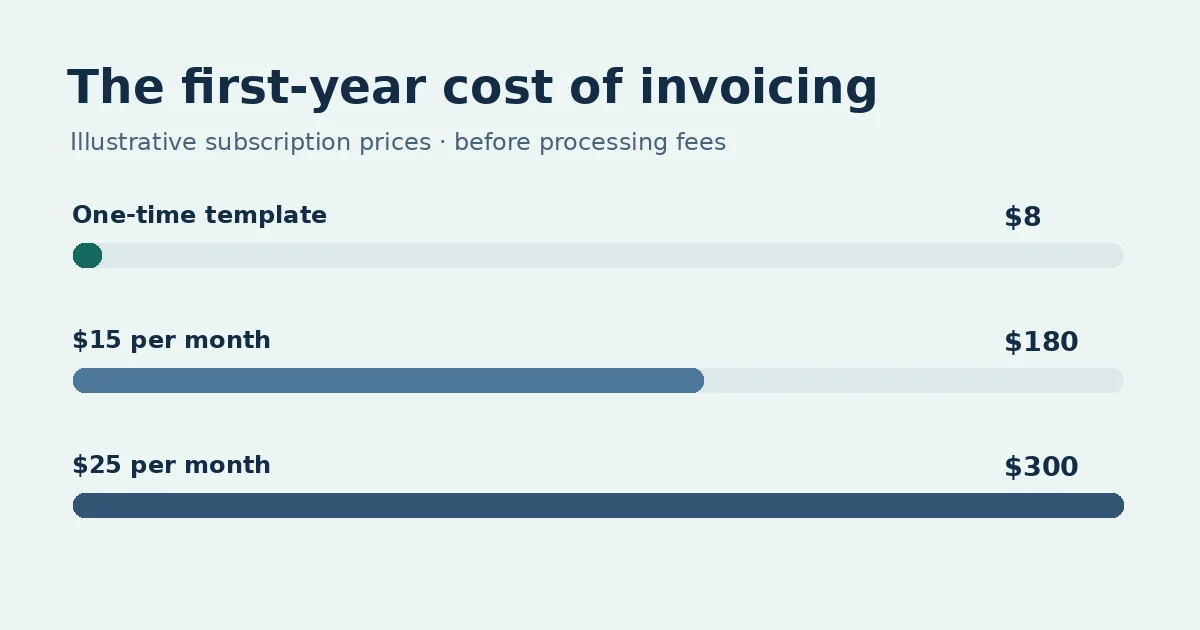
A subscription can still make financial sense. If a $15 plan saves 30 minutes of work each month, the fee works out to $30 per hour saved. Judge that against the time you actually spend entering invoices, checking balances, and following up. Include manual work on both sides of the comparison.
When a reusable invoice template is enough
A template is usually the simpler fit if you create invoices yourself, send the PDF by email, and track payments in your existing books. For example, a contractor doing a handful of one-off jobs can reuse the same labor and materials layout without paying every month just to export a bill. If you only need one generic form, a free invoice template may be enough.
Consider an invoicing app when you need automatic recurring invoices, reminders, a customer payment page, or a shared record of what has been paid. If recurring charges are the main concern and you still want an app, compare a free invoicing plan’s limits and fees before buying anything.
How to reuse one branded invoice without overwriting it
- Set up a clean master. Add your logo, business details, colors, and standard payment instructions. Leave the invoice number, client, and job details blank.
- Make a copy for each job. In Excel, open the included
.xlsxworkbook. In Google Sheets, upload it to Drive and choose File → Save as Google Sheets. Keep the master and make customer copies from it. - Check what the customer owes. Enter a unique invoice number, the issue and due dates, the work performed, any applicable tax, and any deposit already paid. The workbook calculates line amounts and totals from your inputs.
- Export the invoice and keep a record. Preview the active sheet before exporting to PDF. Save the exact copy you send and record the payment separately. See Google’s instructions for printing a spreadsheet or selected sheet.
Example: A $240 service and $90 in materials come to $330. If the customer already paid $100 and there are no other charges, the invoice should show a $230 balance. Check that the credit appears once and that the customer can find the due date and payment instructions.
What you get with the $8 one-time invoice template kit
Buy the kit once, download the files, and keep reusing them for your business. There’s no kit subscription or renewal. The ZIP includes matching invoice, estimate, and quote tabs for Excel or Google Sheets, three separate fillable PDFs, a completed invoice example, and a setup guide.
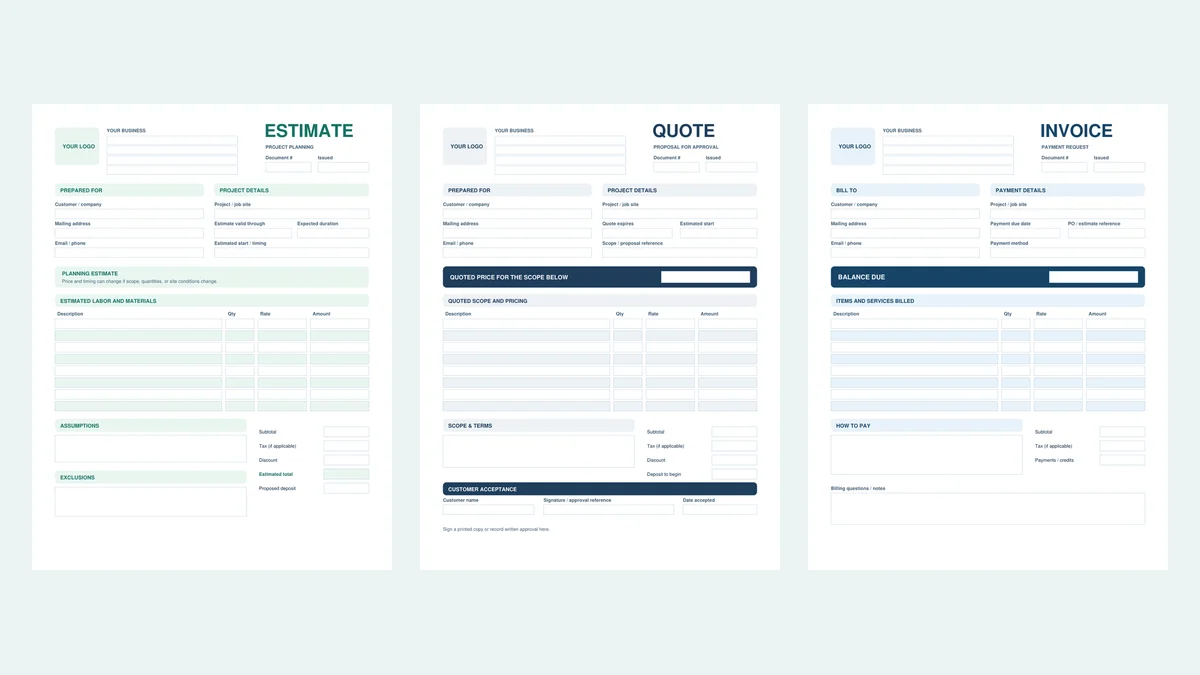
The workbook is the best fit if you want the math handled for you. Use the fillable PDFs if you prefer typing directly into a form and entering the totals by hand. The files do not send invoices, take payments, or send reminders automatically.
Preview the invoice, estimate, and quote kit and get it for $8 one time.